Access Benefits from your favorite insurer through M-TIBA

M-TIBA gives you full control over your health insurance journey. With easy-to-navigate features, you can now access your policy information, benefits, support and more — all in real-time.

easy. transparent. accessible.

Navigate Health Insurance with Confidence

TAKE CONTROL OF YOUR HEALTHCARE JOURNEY.

You are in control

24/7 insights in your insurance cover and limits on your mobile phone.

24/7 personalized support & simplified experience

Access personalised support 24/7 whenever you need care. No more worries about accessing care or your insurance benefits.
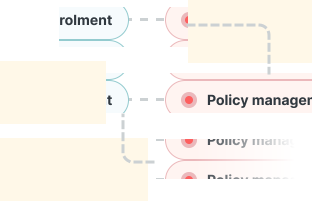

group of modules
modules of platform

Access to a broad provider network

Find a quality clinic near youin all counties

Security you can trust

ISO-certified with tokenized and anonyzed data encryption, keeping your data safe at every level.

4.8M+

lives impacted

5,000+

healthcare providers connected

10+

insurers connected
How to set up my m-tiba

Manage your insurance benefits anytime, anywhere.

My M-TIBA is accessed easily through your mobile phone via USSD or the app. Setting up your account and managing benefits is easy.

Set up My M-TIBA USSD

Set up your account in five easy steps
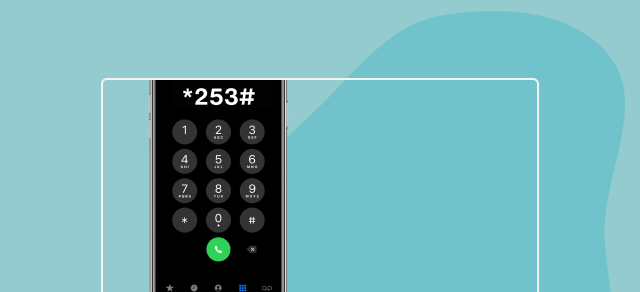
Step 1: Dial *253#

Getting started is easy.
1. Dial *253# on your mobile phone.

This is a free service, no airtime required.


Step 2: Create Your Account

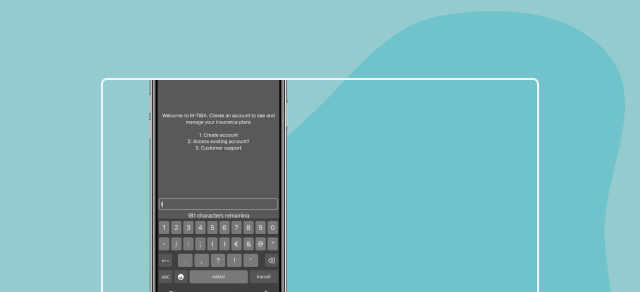
Follow the prompts to create your account:
1. Select option 1 to create an account.
2. Enter your first and last name.
3. Provide your details including date of birth (DDMMYYYY).
4. Set a 4-digit PIN (e.g., 1234) and confirm it.
5. Accept the Terms and Conditions.Give consent for personal data processing.

Step 3: Sign In to Your Account

Once registered:
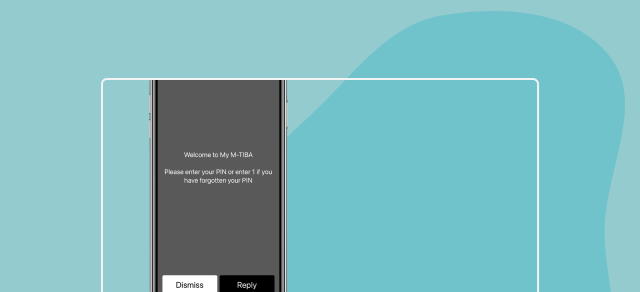
1. Dial *253# again.
2. Select option 2 to access your existing account.
3. Enter your 4-digit PIN to sign in securely.


Step 4: View Your Insurance Plan

Once signed in:
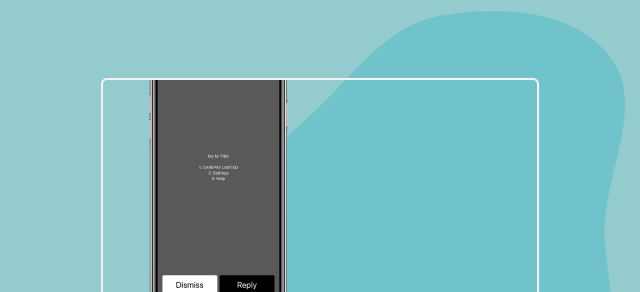
1. Select option 1: Plans
2.View your policy details, including linked family members.
3.If your plan isn’t visible, follow the instructions to reach customer care or dial *253*2# for help accessing older accounts.

Step 5: Manage Settings or Get Help

Use the menu options:
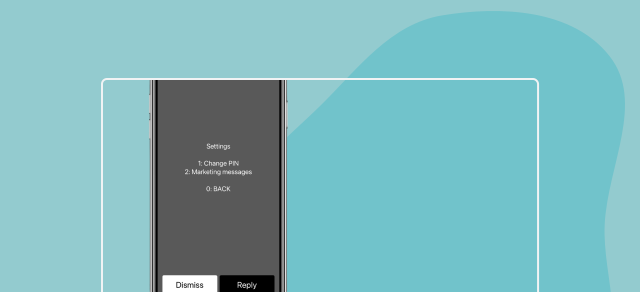
1. Option 2: Settings – Change your PIN or managemarketing messages.
2. Option 3: Help – Access Customer Support:
Toll-free: 0800 721 253
Standard: 0709 071 000
Email: customercare@mtiba.co.ke

Set up My M-TIBA App

Get started on the My M-TIBA app in 5 easy steps.
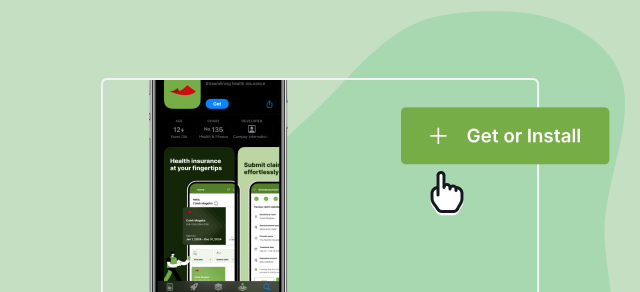
Step 1: Download My M-TIBA App

To download on:
1. App Store (for iOS devices): Search for “My M-TIBA” on the App Store and tap download.
2. Google Play Store (for Android devices): Search for “My M-TIBA” on Google Play and install the app.


Step 2: Create Your Account

Once the app is downloaded, follow these steps to set up your account:
1. Open My M-TIBA App.
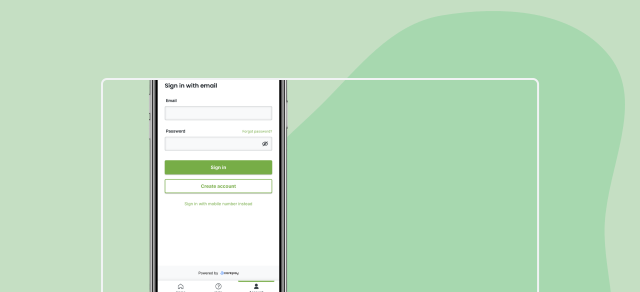
2. Tap on “Create Account.”Choose how you want to sign up: with your mobile numberor email.
3. Enter your registered mobile number or preferred email address.


Step 3: Verify Your Account

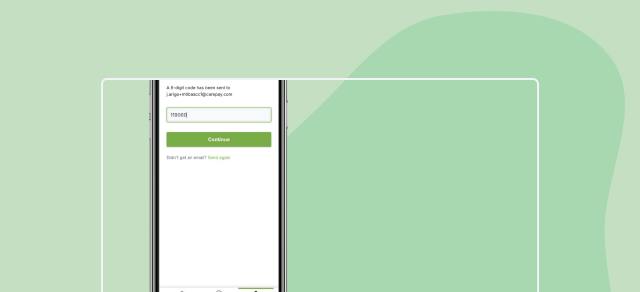
1. Check for a One-Time Password (OTP) sent to your phone or email.
2. Enter the OTP into the app to confirm and verify your account.


Step 4: Complete Your Profile

To setup your account:
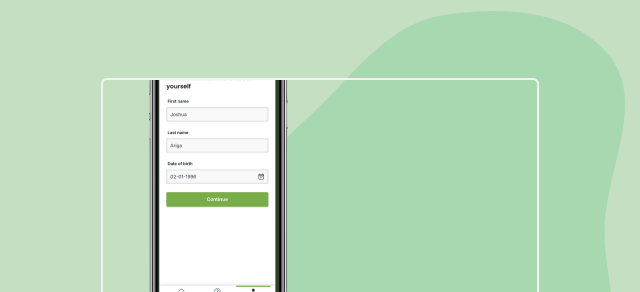
1. Enter your date of birth.
2. Accept the Terms and Conditions of Service.
3. Tap “Create Account” to finalize the process.


Step 5: Check Your Insurance Policy

Your insurance policy will automatically be linked on the app:
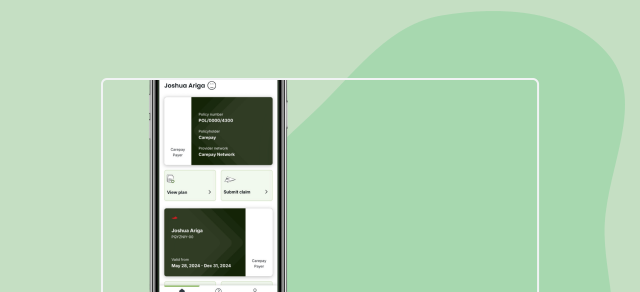
1. If your details match those registered with your insurer, your policy will automatically appear in the app.
2. You’ll be able to view your policy e-card, benefits, andaccount information.
3. You can also access help and receive notifications directlywithin the app.

SUPPORT

Frequently asked questions

Navigate M-TIBA with confidence.
What is M-TIBA?
M-TIBA is a digital platform that connects you to your health insurance scheme. You can manage your benefits, view your policy, and access care via the My M-TIBA app or by dialing *253# on your mobile phone.
Who can use M-TIBA?
M-TIBA is available to members covered by participating insurers or payers. If you're unsure whether you're eligible, contact your insurer or call us on 0800 721 253.
What can I do on M-TIBA?
1. View your insurance policy, e-card, and benefit limits
2. Manage your personal profile and PIN
3. See your dependent coverage
4. Access real-time balances
5. Initiate treatment or authorize visits (at supported providers)
How do I access M-TIBA via USSD?
1. Dial *253# on your phone (Safaricom or Airtel)
2. Select Create Account if new
3. Follow the prompts to input your name, DOB, and create a PIN
4. Accept the Terms and give consent
I had a previous account. How can I access it via USSD?
Dial *253*2# to check older accounts that may still be active.
How do I check my balance via USSD?
1. Dial *253#
2. Enter your PIN
3. Select Plans to view available balances for outpatient, inpatient, dental, etc.
How can my dependents access treatment if I’m unavailable?
1. They should inform the provider they are covered under your M-TIBA policy
2. The provider will initiate treatment using your phone number
3. You’ll receive an SMS for authorization or confirmation
How do I download the My M-TIBA app?
1. On iOS devices: Search for “My M-TIBA” on the App Store
2. On Android devices: Search for “My M-TIBA” on Google Play
How do I register on the My M-TIBA app?
1. Open the app and tap Create Account
2. Choose to sign up using your mobile number or email
3. Enter the OTP sent to you
4. Complete your profile (including date of birth)
5. Accept the Terms & Conditions and tap Create Account

If your details match your insurer’s records, your policy will appear automatically.
What if my insurance policy doesn’t show up on the app?
1. Confirm your details match what your insurer has on record
2. If still not visible, contact us via customercare@mtiba.co.ke or call 0800 721 253
Can I view my family members on the app?
Yes. If dependents are linked to your policy, you’ll be able to see them listed in your plan details.
How do I change my PIN?
Via USSD:
1. Dial *253# and sign in
2. Go to Settings (Option 2)
3. Select Change PIN
4. Enter old PIN → New PIN → Confirm PIN

Via the My M-TIBA app:
1. Go to profile/settings and update your PIN.
I forgot my PIN. How can I reset it?
Via USSD:
1. Dial *253#Press 1 to reset PIN
2. Enter your date of birth and ID number
3. Set and confirm your new PIN
4. You can also contact support for assistance.
Is my data safe on M-TIBA?
Security and privacy are foundational pillars at M-TIBA.

Your personal data will be treated confidentially and will only beprocessed for the purpose of providing and improving our services. We use industry standard technical and organizational measures to securethe information we store.

We take the following measures to limit the impact of our data processing on your privacy:

1. Where it is not important for us to know exactly who the User is, we process user data in anonymized or pseudonymized form.
2. We store anonymised data in a data vault for historical records on use of our Services and at times to conduct analytical reviews and toenhance the Platform and impact of our Services.
3. All M-TIBA and affliate entities are bound by a data protection policyand a data processing agreement with provisions safeguarding dataprivacy in line with Data Protection Laws.
4. We use (sub)processors who have privacy/security policies and offera data processing agreement with provisions safeguarding dataprivacy in line with Data Protection Laws.
5. The data is processed for up to seven (7) years or where applicable asagreed with the Payer to provide Services to you and/or the Payer inconnection with the Healthcare Program or as long as necessary for legal compliance.

You can contact us for specific further information or email privacy@carepay.com.
Where can I use M-TIBA?
M-TIBA is connected to over 5,000+ health facilities across Kenya. Once you join a scheme, your provider panel will be shared with you.
What do I do at the health facility?
1. Share your phone number or membership number with the provider
2. You’ll receive an SMS to approve the visit
3. The provider will process treatment once approved
Can I use M-TIBA without the app?
Yes. All features are available via *253#. You don’t need a smartphone or internet to access your benefits.
How can I contact M-TIBA for help?
You can reach us through either of the below chanels:
1. Toll-Free: 0800 721 253
2. Standard Line: 0709 071 000
3. Email: customercare@mtiba.co.ke
How can I contact support for my specific insurance scheme?
If you need help related to your insurance provider or scheme, you can contact the dedicated support line for your insurer directly:
1. Jubilee Insurance: 0800 722 001
2. Fidelity Insurance: 0800 722 002
3. AAR Insurance: 0800 722 003
4. M-TIBA – GA: 0800 722 006
5. First Assurance: 0800 722 007
6. APA Insurance: 0800 722 009
7. Transnep: 0800 722 010

For general support or if you’re unsure which scheme you’re on, you can also reach M-TIBA Customer Care through either:
1. Toll-free: 0800 721 253
2. Email: customercare@mtiba.co.ke

Can't find an answer to your question?

Get in touch with our team today